Car Inventory
Detailed stock overview
Context & The Problem
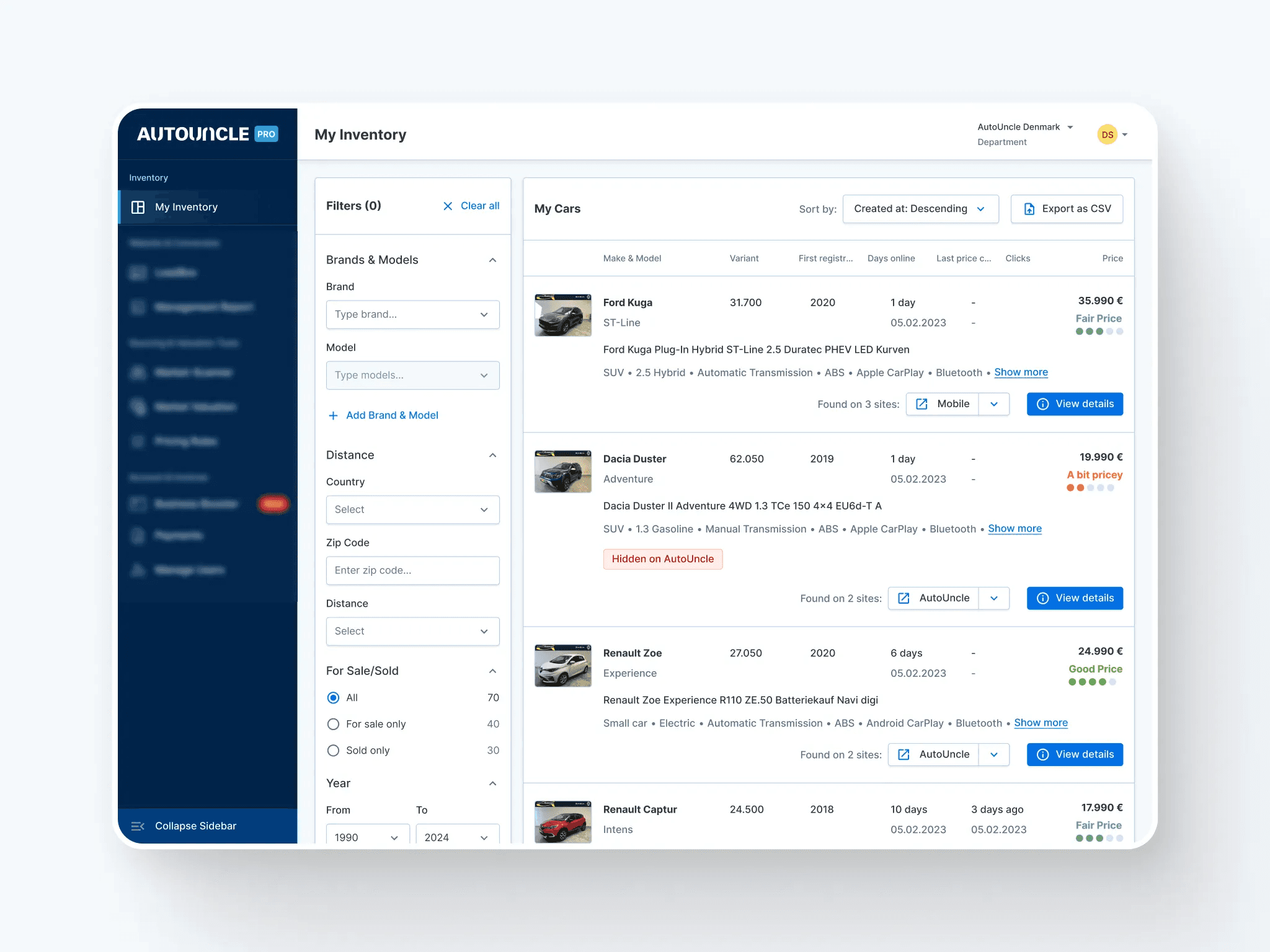
Car dealership managers use the My Inventory page to keep track of their entire stock. The previous version of this feature suffered from the same issues as the old design system: it lacked visual consistency and didn't feel like a mature product. This made it difficult for managers to quickly scan their inventory and find the information they needed.
The main problem was a cluttered interface that tried to show everything at once. This lack of hierarchy forced users to navigate through "noisy" screens to perform simple tasks. We realized that the inventory page needed a complete redesign to improve functional consistency. To solve this, we focused on a minimalist main screen and introduced a right sidebar overlay. This allows managers to dive into specific car details without losing their place in the main list, keeping the workspace clean and efficient.
Project Overview
My role
Senior Product Designer
Team
Product Manager
Designer (Me)
Developers (3)
Technical Integration Manager
Timeframe & Scope
6 months
Desktop
Outcome
Increased usage rate by dealerships and other features linked to this page
Ideation and Iteration
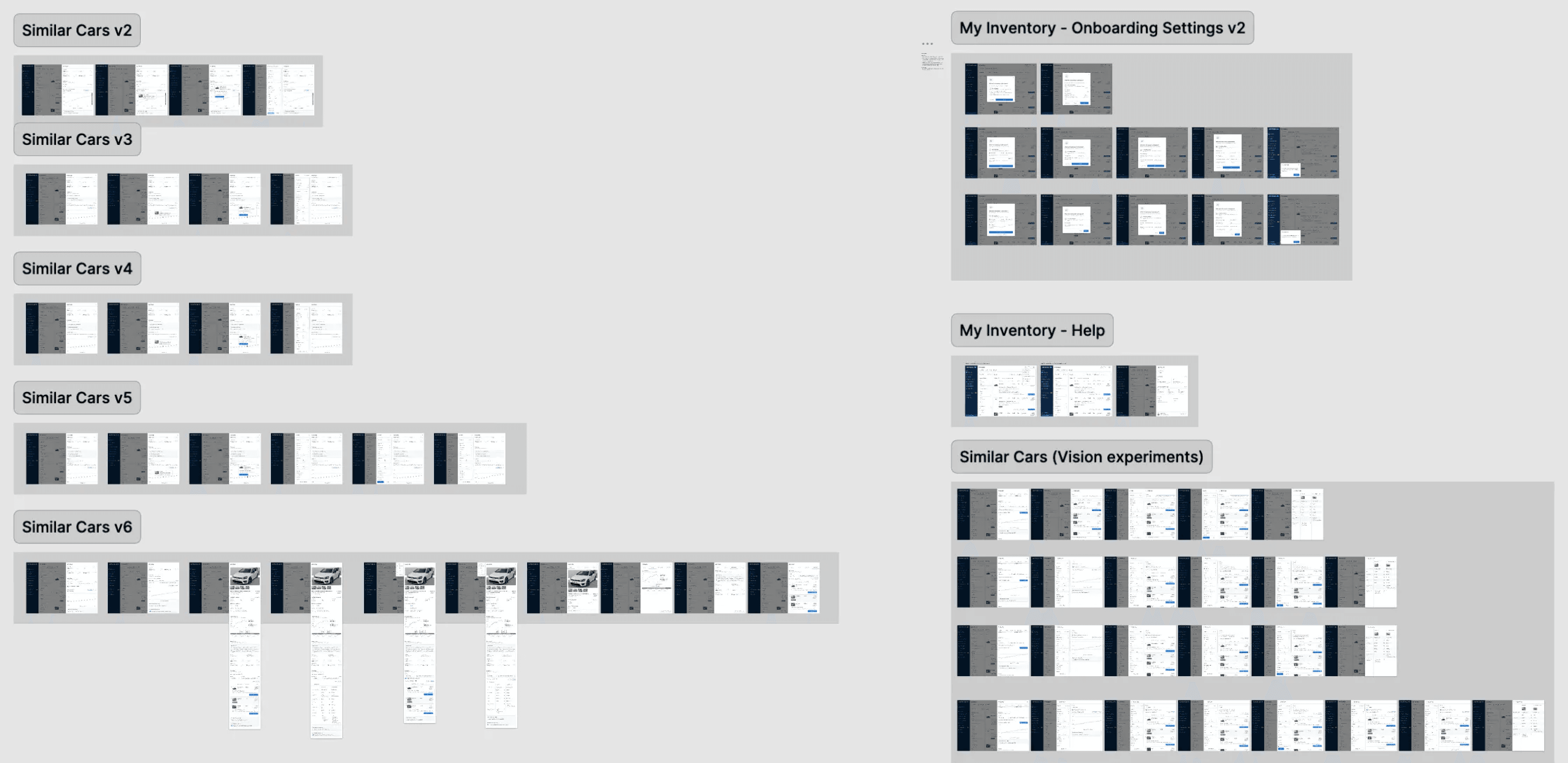
The design process went through many rounds of iteration, starting with low-fidelity mockups and evolving into high-fidelity prototypes.
Throughout this phase, I worked closely with my project manager, developers, and company stakeholders. We followed a feedback-driven process, using insights from user interviews as the foundation for our design decisions.
Challenges
One of the challenges of this feature was designing the car list item. It needed to have all the necessary car details at a glance while remaining compact and providing buttons to learn more about several car informations.
The main challenge remained the View details overlay. It had many detailed sections and together they needed to tell a coherent story about the car's status to the manager. Learn more about the overlay below.
User Research & Validation
Each design iteration was thoroughly tested with car dealership partners through interactive prototypes. These sessions helped us validate our assumptions and improve the feature step by step. With every session, we gained new insights that made the experience more intuitive and the feature more desirable.
The user research sessions helped us address the challenges stated above, with misconception rates being very low by the end of our iteration cycles.
I do not have screenshots of the sessions nor did we record them for confidentiality.
Car details overlay
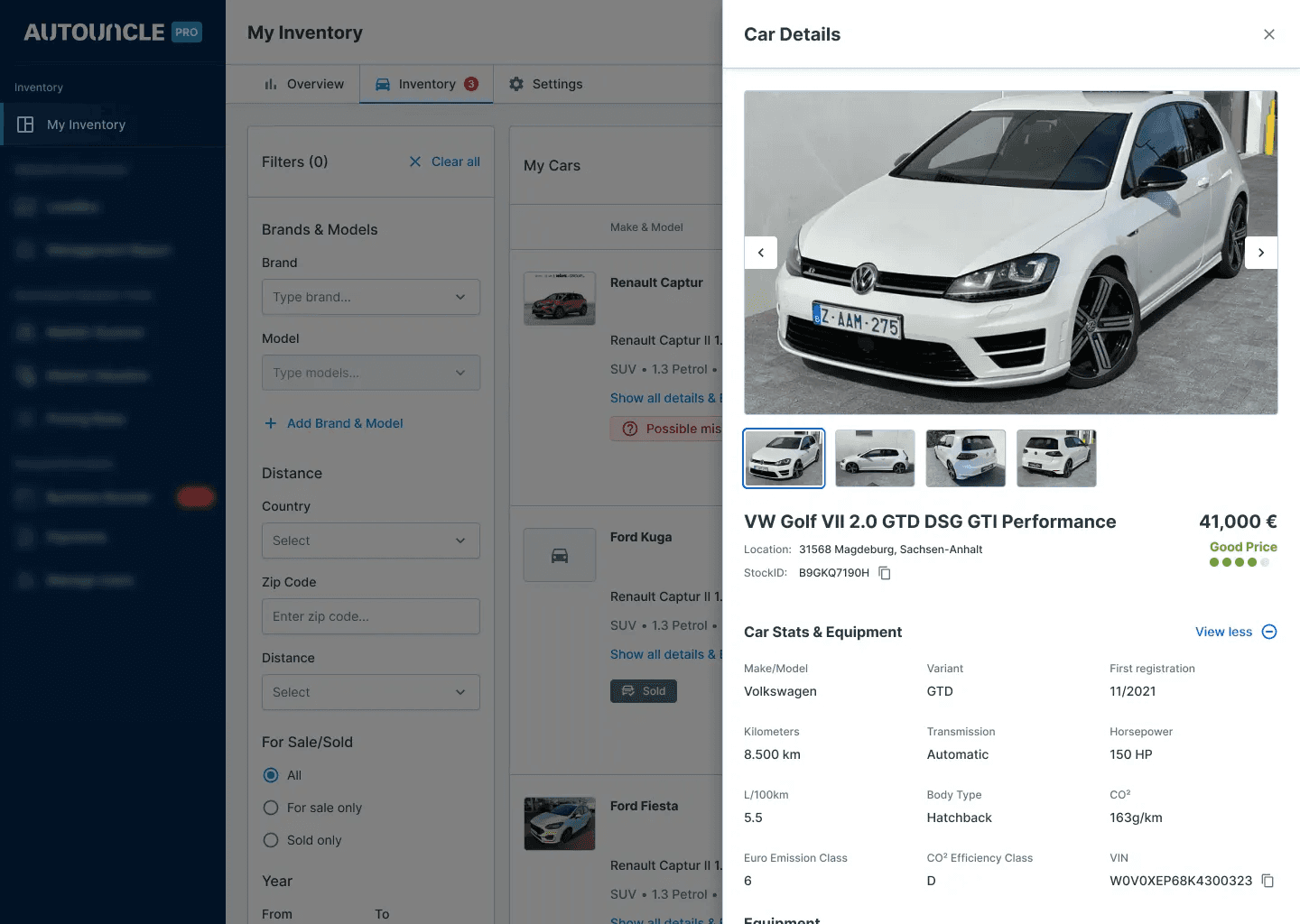
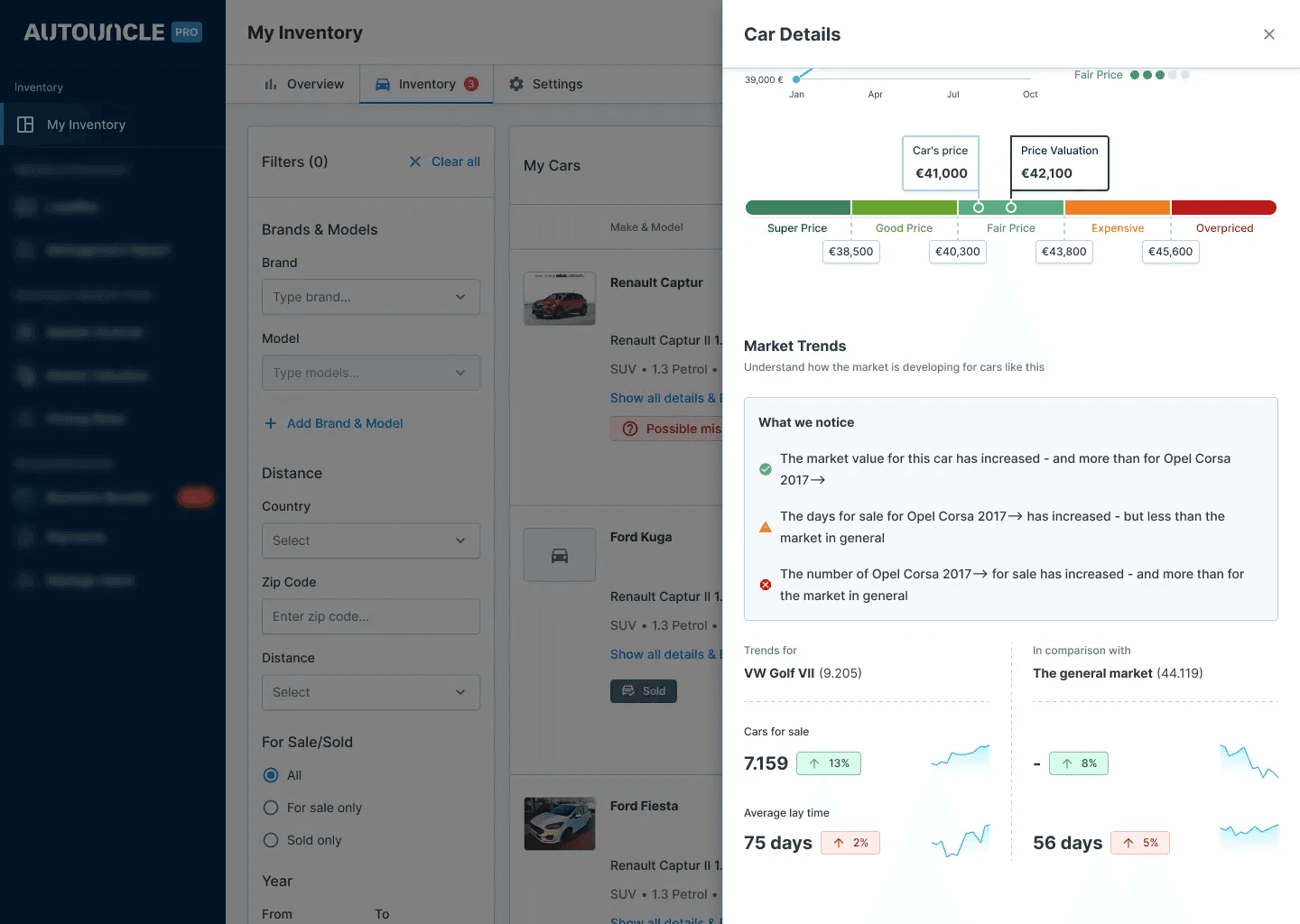
By clicking the main button on the car listing items View details, this right side overlay would open up.
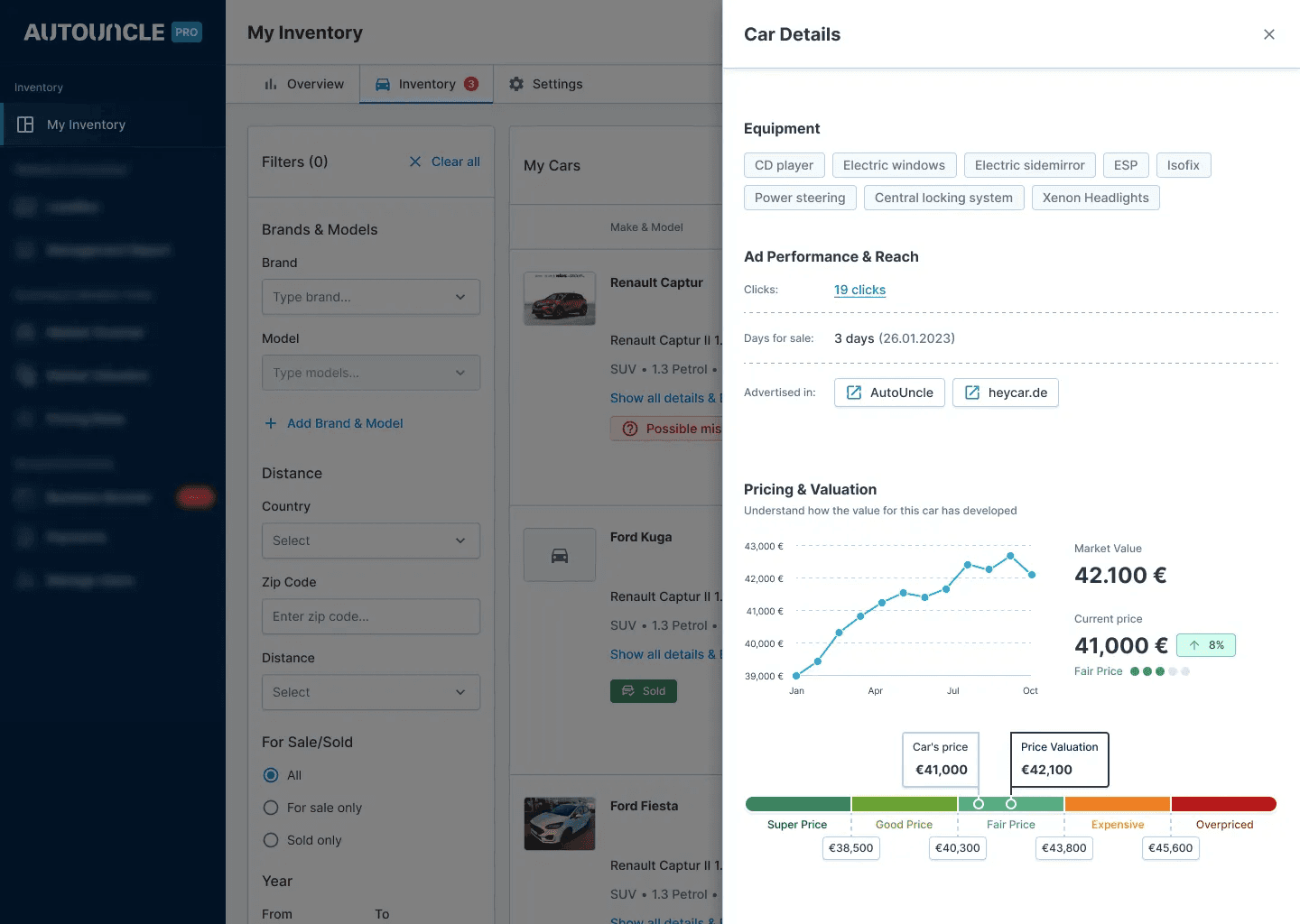
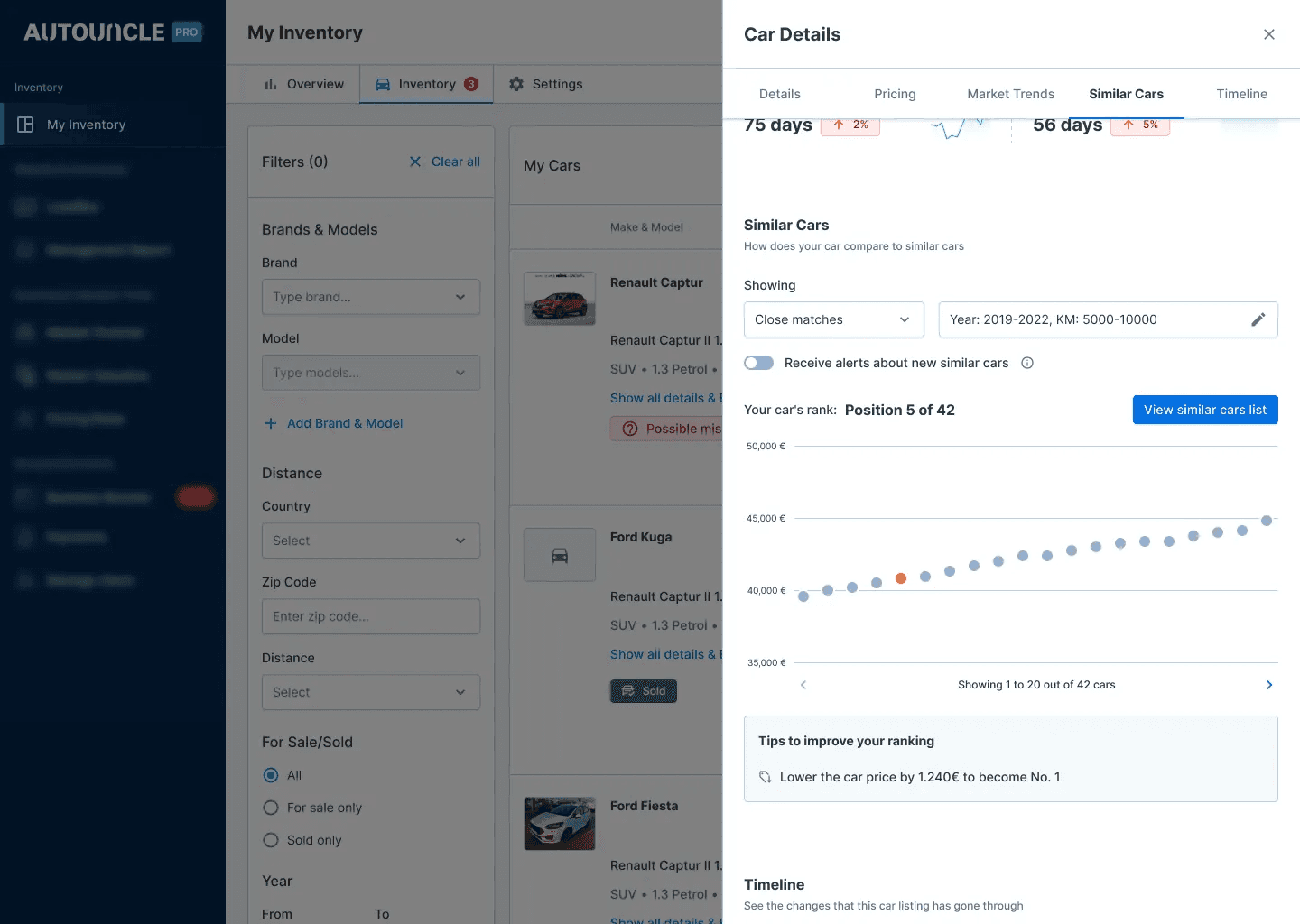
It provides crucial insights about a car that a dealership has in stock like: images, stats, equipment, ad performance, pricing and market trends. It also includes a Similar Cars section.
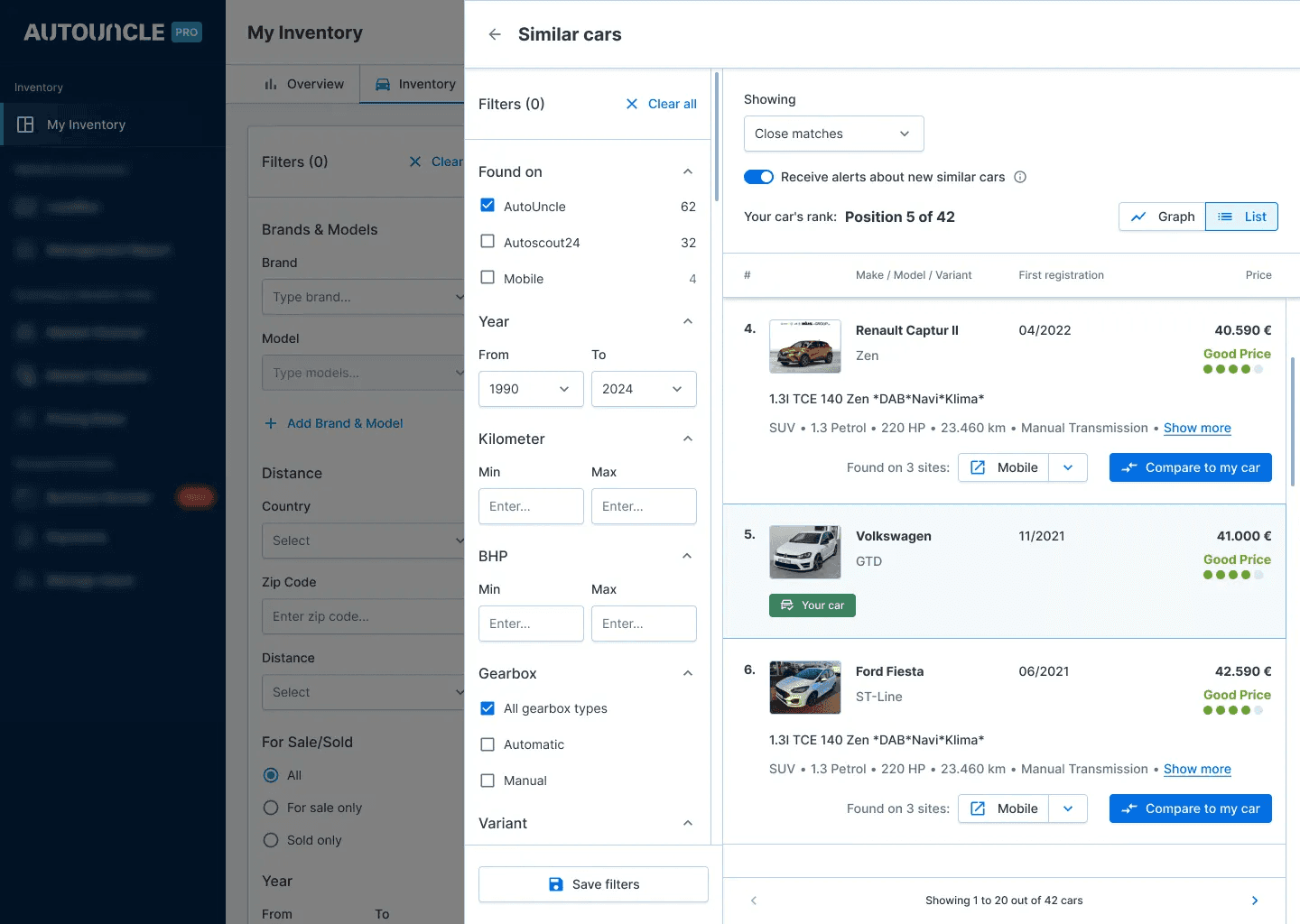
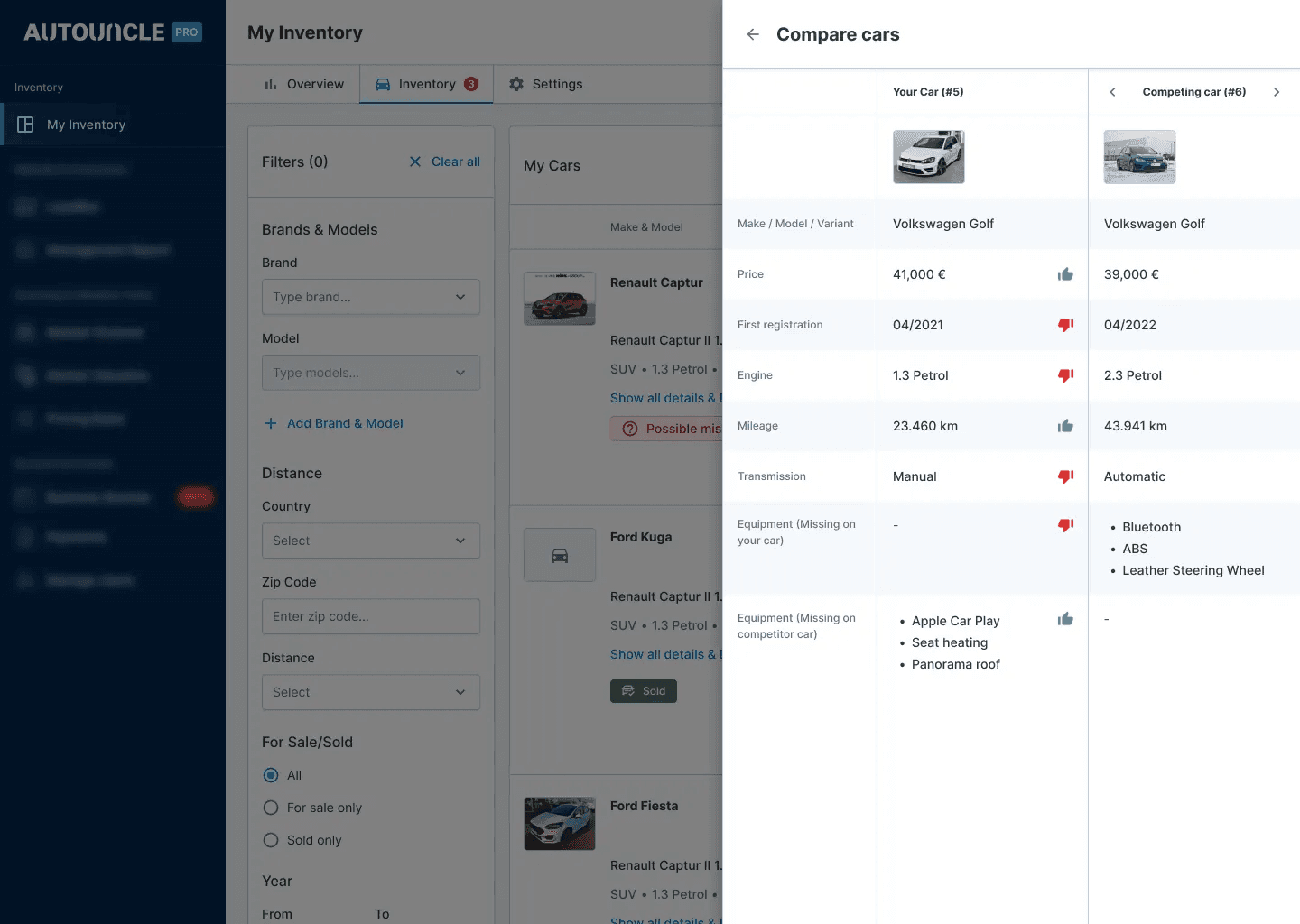
It also featured a Similar Cars section which provided the manager with a way to compare the current car to others in the market. They can also directly compare the car by seeing which feature is missing or not to the other cars.
Result
The car inventory page was already a staple in AutoUncle's dealership inventory management suite, with the redesign it got even better by providing a refreshed and cleaner UI with accessibility in mind and loads of new, actionable car details through the overlay.